
Updated · best service iptv support team
The Amazon Fire TV Stick is the most popular way to watch IPTV in the USA and Canada: it is cheap, plugs into any HDMI TV and handles HD and 4K streams well. This guide shows you how to install IPTV on Firestick in about 10 minutes, and what makes a good IPTV service for Firestick.
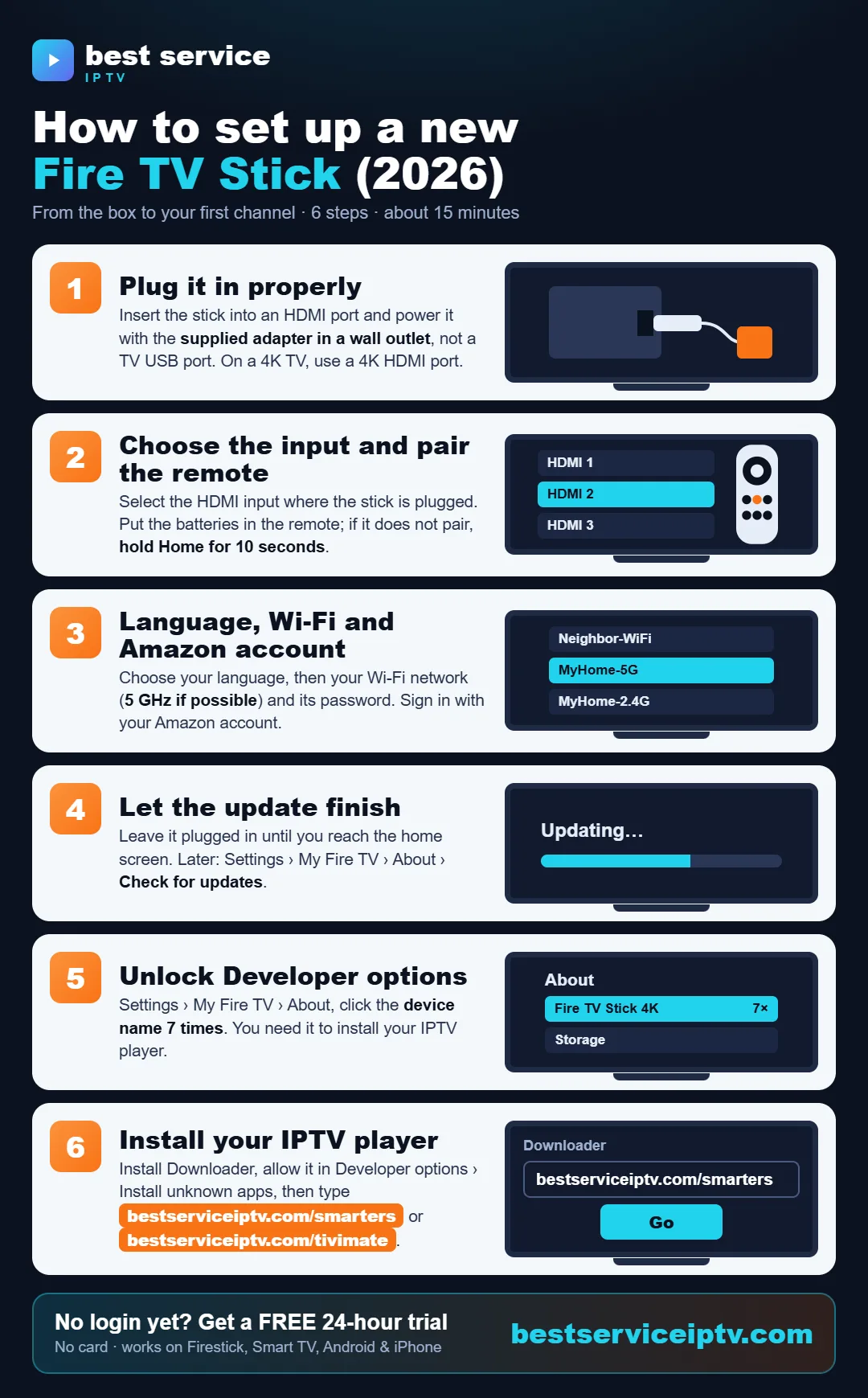
Share this infographic on your site
What you need
- An Amazon Fire TV Stick (Lite, HD, 4K, 4K Max) or Fire TV Cube.
- A stable internet connection: 10 Mbps for HD, 25 Mbps or more for 4K.
- An active IPTV subscription.
Step 1: Allow apps from unknown sources
- From the Fire TV home screen, open Settings (gear icon) › My Fire TV.
- If you don't see Developer options, open About and click your device name 7 times until "You are now a developer" appears.
- Go to Developer options › Install unknown apps and turn it on for the Downloader app (you install it in the next step).
Step 2: Install the Downloader app
- Go back to the home screen and search for Downloader (orange icon, by AFTVnews).
- Click Get or Download, then open it and allow access when asked.
Step 3: Install an IPTV player
Popular IPTV players for Firestick include IPTV Smarters Pro, TiviMate, XCIPTV and IPTV Stream Player. Download them directly from our website with Downloader — just type the short address shown under each app:


Installing IPTV Smarters Pro on a Firestick? Follow our step-by-step guide: How to install IPTV Smarters Pro on Firestick.
- Open Downloader, click the URL box, type the address of the app you want — for example bestserviceiptv.com/smarters — and click Go.
- When the file finishes downloading, click Install, then Done.
- Delete the installation file when Downloader offers it, to free storage space.
Not sure which player to pick? See our comparison: best IPTV apps for Firestick.
Step 4: Log in with your IPTV account
- Open the player and choose Login with Xtream Codes API (recommended) or M3U URL.
- Enter any name, then the username, password and server URL exactly as sent to you.
- Wait while channels, movies, series and the TV guide (EPG) load. That's it — you're streaming.
No IPTV subscription yet? Get your IPTV login in minutes: 20,000+ live channels, 200,000+ movies & series, HD & 4K, IPTV subscription plans from $9.50 with no auto-renewal and 24/7 support — or try it free for 24 hours.
Order a subscription Free 24h trialChoosing an IPTV subscription for Firestick
Any IPTV subscription for Firestick should come with Xtream Codes login details (the easiest way to log in), work with popular player apps like IPTV Smarters Pro, XCIPTV or TiviMate, and offer a free trial so you can test it on your own Fire TV Stick. Our plans include all of this, with direct app downloads and a free 24-hour trial.
What makes the best IPTV for Firestick?
- Stable servers that don't freeze during prime time and live sports.
- A full EPG (TV guide) and catch-up on supported channels.
- HD and 4K streams that the Firestick 4K can actually decode smoothly.
- Real support by WhatsApp or email when something goes wrong.
- No auto-renewal and clear USD pricing.
best service iptv was built around these points. Compare our IPTV plans or ask our team which setup fits your Firestick.
Firestick remote not working?
Before calling support, try these 6 fixes — from new batteries to a full remote reset.
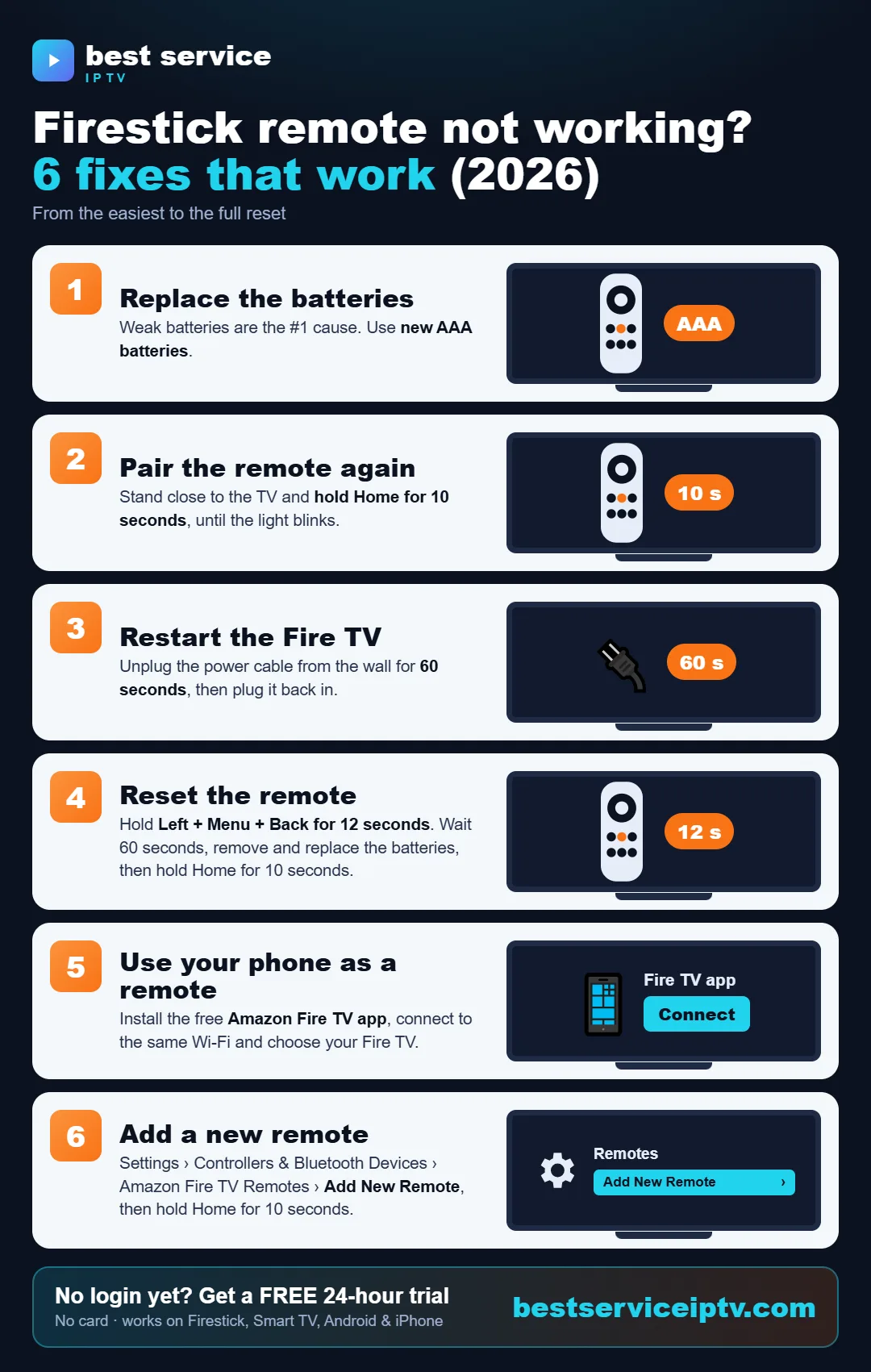
Share this infographic on your site
Firestick tips for smooth streaming
- Use the 5 GHz Wi-Fi band or an Ethernet adapter for 4K.
- Restart the Firestick once a week (Settings › My Fire TV › Restart).
- Clear the player's cache if it becomes slow (Settings › Applications › Manage installed applications).
- Still buffering? Read our guide to fix IPTV buffering.
Ready to start? Get best service iptv on your device in minutes. Try it free for 24 hours, then choose a plan from $9.50 (USD, USA & Canada).
Start free trial See plans